Theming
Three layers, in priority order:
- CSS variables — instant override; works inside Shadow DOM.
ThemeConfig— JSON object passed to the store; renders to a CSS variable map at runtime.- Defaults —
DEFAULT_THEME(indomain/value-objects/Theme.ts).
CSS variables
Set on :root or any ancestor of <chat-iva>. They pierce the Shadow DOM:
chat-iva {
  --chativa-primary-color:    #4f46e5;
  --chativa-secondary-color:  #6c757d;
  --chativa-background-color: #ffffff;
  --chativa-text-color:       #212529;
  --chativa-border-color:     #dee2e6;
}
The store's setTheme() ultimately writes these same variables via themeToCSS().
ThemeConfig
Full schema: schemas/theme.schema.json. Field-by-field reference: configuration → ThemeConfig.
import { chatStore } from "@chativa/core";

chatStore.getState().setTheme({
  colors: { primary: "#0ea5e9", secondary: "#0284c7" },
  position: "bottom-left",
  size: "large",
  layout: { width: "400px", height: "600px" },
});
Menu button width
Buttons in each buttons message share the width of that list's longest label.
The width adjusts automatically as labels change, without measuring text in JavaScript.
On narrow screens the list fits the available space and labels wrap.
This replaces the previous fixed 220px default.
To set a fixed width:
chatStore.getState().setTheme({ buttonWidth: "280px" });
Use buttonWidth: "auto" to restore automatic sizing. Fixed widths also remain
limited to the available space. With the theme option unset, you can instead
set --chativa-button-width: 280px on an ancestor of <chat-iva> (use
max-content for automatic sizing through CSS).
Menu button text alignment
Set buttonTextAlign to "left", "center", or "right" for buttons messages.
The default is "center"; wrapped label lines use the same alignment.
Card actions and quick replies keep their existing styling.
chatStore.getState().setTheme({ buttonTextAlign: "left" });
Alternatively, when the theme leaves this option unset, use the inherited CSS variable:
chat-iva {
  --chativa-button-text-align: left;
}
Position and RTL
position names a physical corner of the viewport. "bottom-right" means the bottom-right corner in every language, including Arabic or Hebrew. The launcher, the popup next to it, and the edge a side-panel docks to and slides in from all use that physical corner. Content inside the widget does mirror under RTL (see Internationalisation → Right-to-left languages).
The default position is "bottom-right". A page's own layout decides where a floating button looks right, and Chativa can't tell the default value apart from one you set explicitly. If your site is RTL and you want the launcher on the inline-end side, pick the corner yourself:
import { i18next } from "@chativa/ui";
import { chatStore } from "@chativa/core";

const rtl = i18next.dir(i18next.language) === "rtl";
chatStore.getState().setTheme({ position: rtl ? "bottom-left" : "bottom-right" });
(isRtlLanguage() from @chativa/ui gives the same answer for the four languages Chativa mirrors.)
Window modes
| Mode | Behaviour |
|---|---|
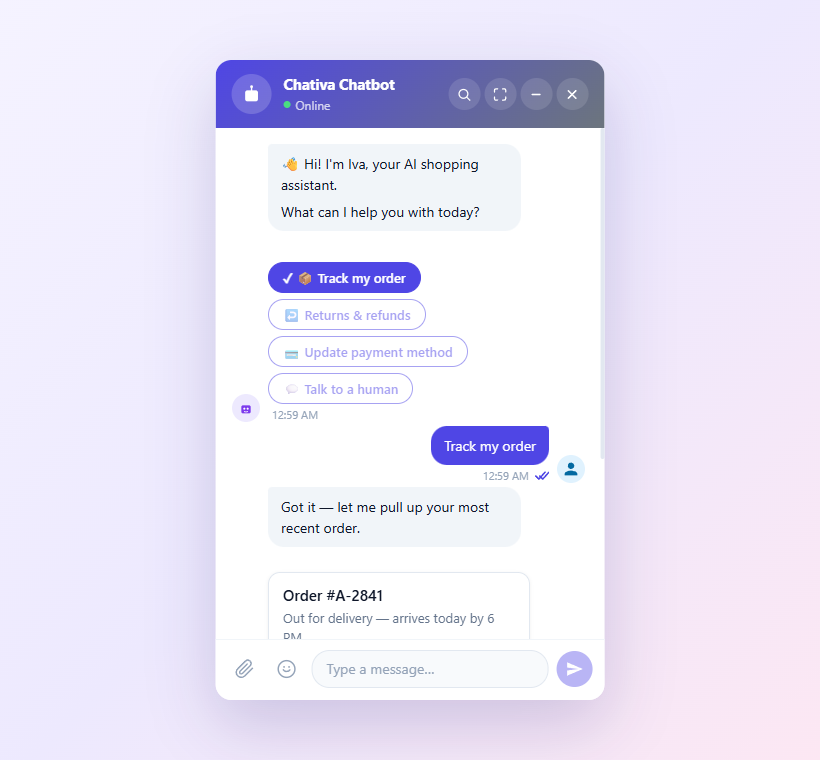
popup (default) | Floating card anchored to the launcher. |
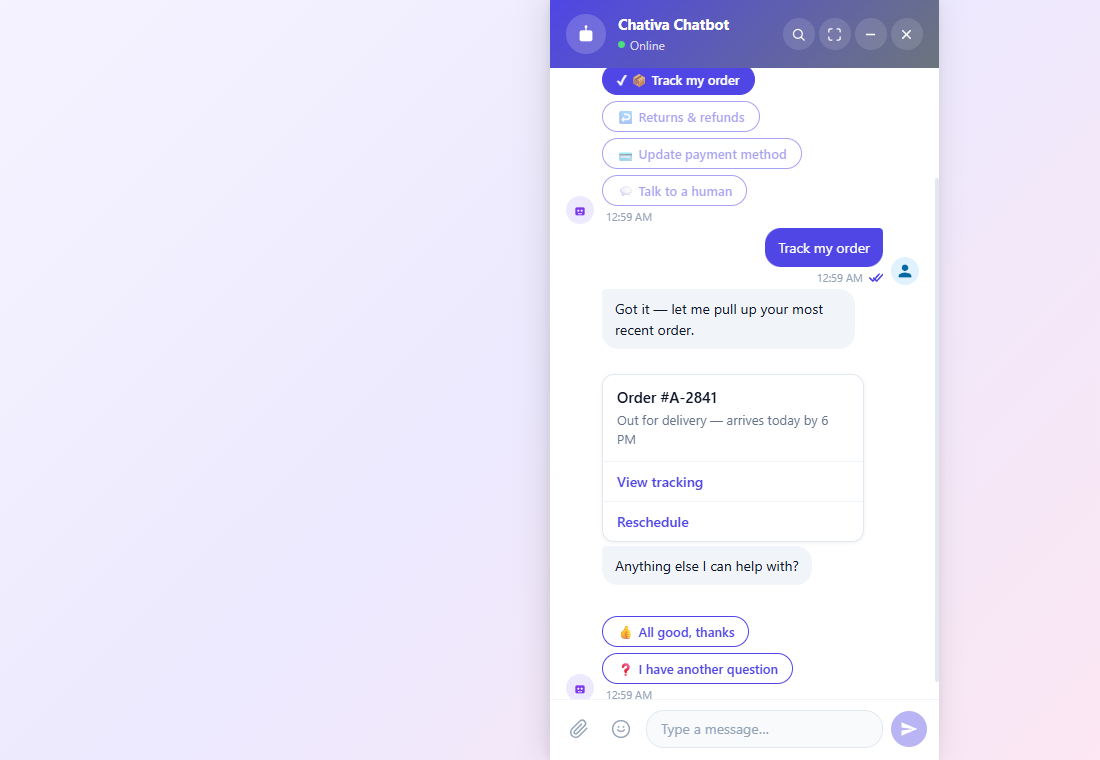
side-panel | Full-height drawer docked to the viewport edge. |
fullscreen | Covers the whole viewport. Always used on mobile (<480 px). |
inline | Positioned statically inside its parent — for embedding in a page section. |
Popup (default — floating card)
Side panel (full-height drawer)
Fullscreen (covers the viewport)
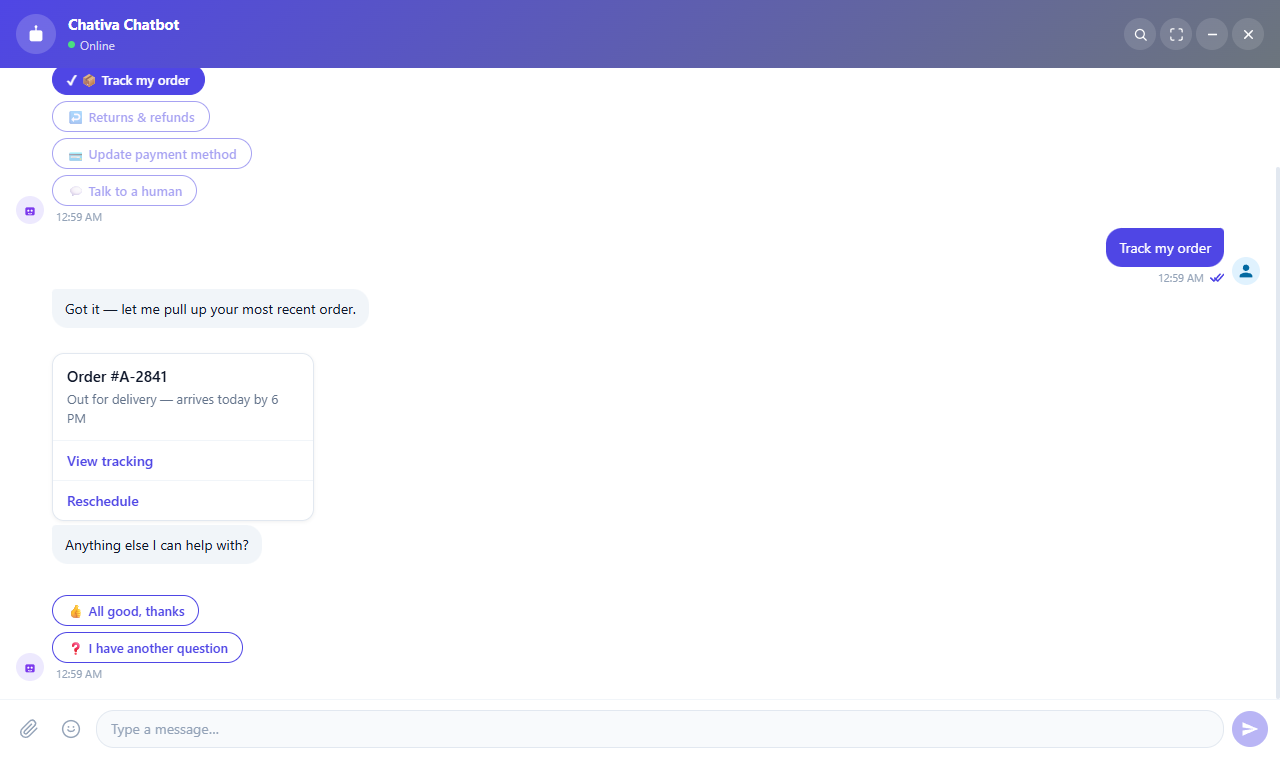
Captured from the live sandbox. The
inlinemode looks the same aspopupwhen no parent layout constrains it — drop the widget inside any container to see the difference.
Locking the widget to fullscreen
fullscreen-only starts the widget expanded and hides the header's fullscreen
toggle — the shorthand for setFullscreen(true) + setAllowFullscreen(false):
<chat-iva fullscreen-only></chat-iva>
import { ChatIva } from "@chativa/react";

<ChatIva fullscreenOnly />
Passing false (or omitting it) means "no opinion": the widget keeps whatever
windowMode and allowFullscreen the theme already set, rather than forcing the
toggle back on.
Avatars
chatStore.getState().setTheme({
  avatar: {
    bot:    "https://example.com/bot.png",
    header: "https://example.com/header.png",
    user:   "https://example.com/user.png",
    showBot:  true,
    showUser: false,
  },
});
Omit any URL to fall back to the default SVG.
avatar.bot and showBot apply to every bot-authored bubble — including the buttons and quick-reply message types, which render the configured image (or the default robot SVG when no URL is set) next to their button list. showBot: false hides the avatar there too.
Custom launcher button
The launcher accepts both a slot and a ::part(launcher) selector:
<style>
  chat-bot-button::part(launcher) {
    border-radius: 24px;
    width: 140px;
    height: 48px;
    background: linear-gradient(135deg, #e91e63, #ff5722);
  }
</style>

<chat-bot-button>
  <span style="color:white;font-weight:600;">💬 Bize Yazın</span>
</chat-bot-button>
When a custom launcher is used, set hideButtonOnOpen: true to hide it while the chat is open.
Fluent builder
import { ThemeBuilder } from "@chativa/core";

const theme = ThemeBuilder.create()
  .setPrimary("#0ea5e9")
  .setBackground("#1e1e2e")
  .setText("#f8fafc")
  .setPosition("bottom-left")
  .setSize("large")
  .setShowMessageStatus(true)
  .setEnableSearch(false)
  .build();

chatStore.getState().setTheme(theme);
The Chrome extension (chrome-extension) generates this exact builder code from a visual editor — handy for "design now, paste into your app later" workflows.
Live preview
The sandbox lets you tweak every field and see the result instantly: chativa.aimtune.dev/sandbox.